
Math & Markets Labs: An Interactive Sandbox
One of the consistent pieces of feedback from readers is that the charts and models in these posts are useful but static — you can see the output but you can’t change the inputs and watch what happens.
That changes today.
Math & Markets now has Labs, an interactive tools section. The first set of tools is built around the ML for Trading series — three sandboxes that let you work directly with the concepts from the posts rather than just read about them.
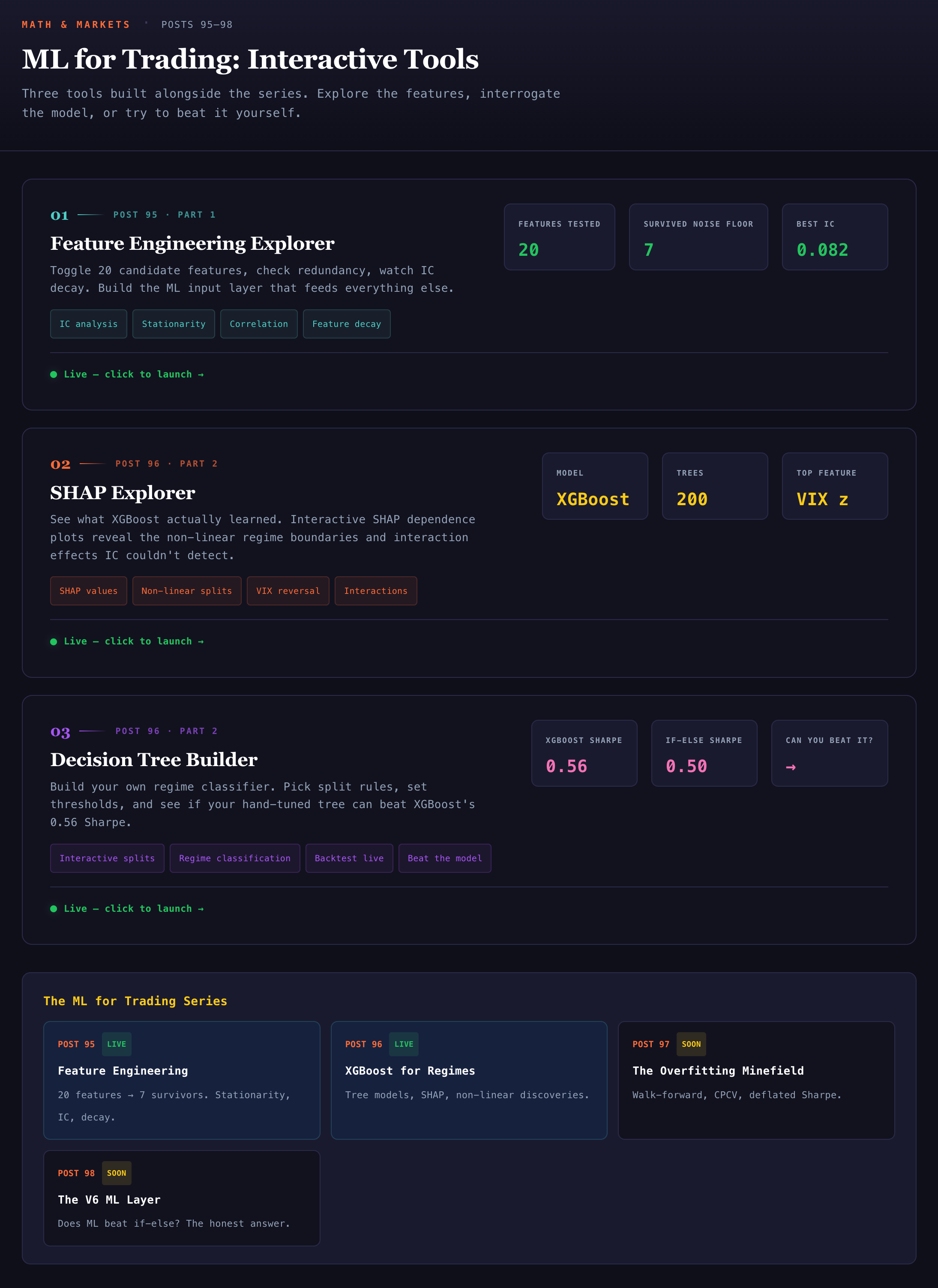
ML Tools Hub — ml-tools-hub.mathandmarkets.com
The hub hosts three tools:
ML Feature Explorer — ml-feature-explorer.mathandmarkets.com
Build and visualize features from price and volume data. Change the lookback window, toggle normalization, and see immediately how your feature set shifts. Useful for developing intuition about what the model is actually seeing before you hand it data.
ML SHAP Explorer — ml-shape-explorer.mathandmarkets.com
Examine feature importance using SHAP values. Run the model, inspect which features are driving predictions, and identify where the signal is actually coming from versus where the model is finding noise.
ML Tree Builder — ml-tree-builder.mathandmarkets.com
Build and visualize decision trees interactively. Adjust depth, splitting criteria, and pruning parameters and watch the tree restructure in real time. A practical way to understand how tree-based models partition the feature space before moving to ensembles.
Please click below for a detailed post on how to use these tools.
How to Use the ML for Trading Tools: A Labs Walkthrough

The Math & Markets Labs launched last this week with three interactive ML for trading tools. Some of you asked for a walkthrough of what each tool does and how to get the most out of it. Here it is.
More tools are in development — including a full interactive companion for the Math & Markets Trading Series of books, which will go live closer to publication.